
Told to the first person you find
There is no clear process, so issues are reported verbally to whoever is nearby — and the information does not reach the person who can actually solve it.
Issue reporting & follow-up for production plants
Today issues travel by phone call, maintenance sheet and hallway conversation — and half of them disappear. FactoryTicketing turns them into tracked tickets that route themselves, escalate on their own and only close when the reporter says the problem is really gone.
Set up on one area in a day. No per-operator fees, ever.
Line 4 · Test bench
Test equipment problem
< 60 s
to report an issue with a QR scan and a photo
100%
of tickets carry a named owner from the moment they are created
1 day
to configure areas, categories and responsibles for a pilot area
0 €
per operator — reporters are always free
Figures are pilot design targets, not audited customer averages.
The problem
These are the failure modes we mapped in real production plants before building anything.
There is no clear process, so issues are reported verbally to whoever is nearby — and the information does not reach the person who can actually solve it.
"The engineer doesn't answer the phone." If nobody picks up when the problem happens, the issue is simply forgotten — and there is no sign it was ever noted.
"I've said it so many times already." When nothing visibly happens, operators stop raising problems at all and the plant loses its best early-warning system.
Maintenance sheets, personal notes and spreadsheets have to be gathered manually, and it is impossible to tell a one-off from a recurring failure.
The person who raised the problem cannot see whether anyone owns it, what the status is, or when it will be fixed.
Leaders cannot see all open issues across the plant, so prioritisation is guesswork and responder workload is invisible and unmeasurable.
The solution
Area plus problem category decides the default responsible. Substitution rules cover holidays and shifts, so a ticket never waits for someone who is not on site.
Every report becomes a record with status, full history, photos, location, order and material numbers, and a list of everyone affected.
An issue open too long is escalated to the area supervisor, then up the management pyramid. Nobody has to chase.
Support users hand over to the right specialist, or move the issue into the long-term pool when it cannot be fixed today — the reporter still sees where it went.
Reaction time, lead time, recurring issues per area, workload per responder and department. Real numbers instead of impressions.
Mobile-first, sign in with the company email address, no separate registration, minimal training. Faster than making a phone call.
Product
Operators get a form that takes seconds. Responders get a prioritised queue. Managers get the plant-wide picture they never had on paper.
Category
Short description
How it works
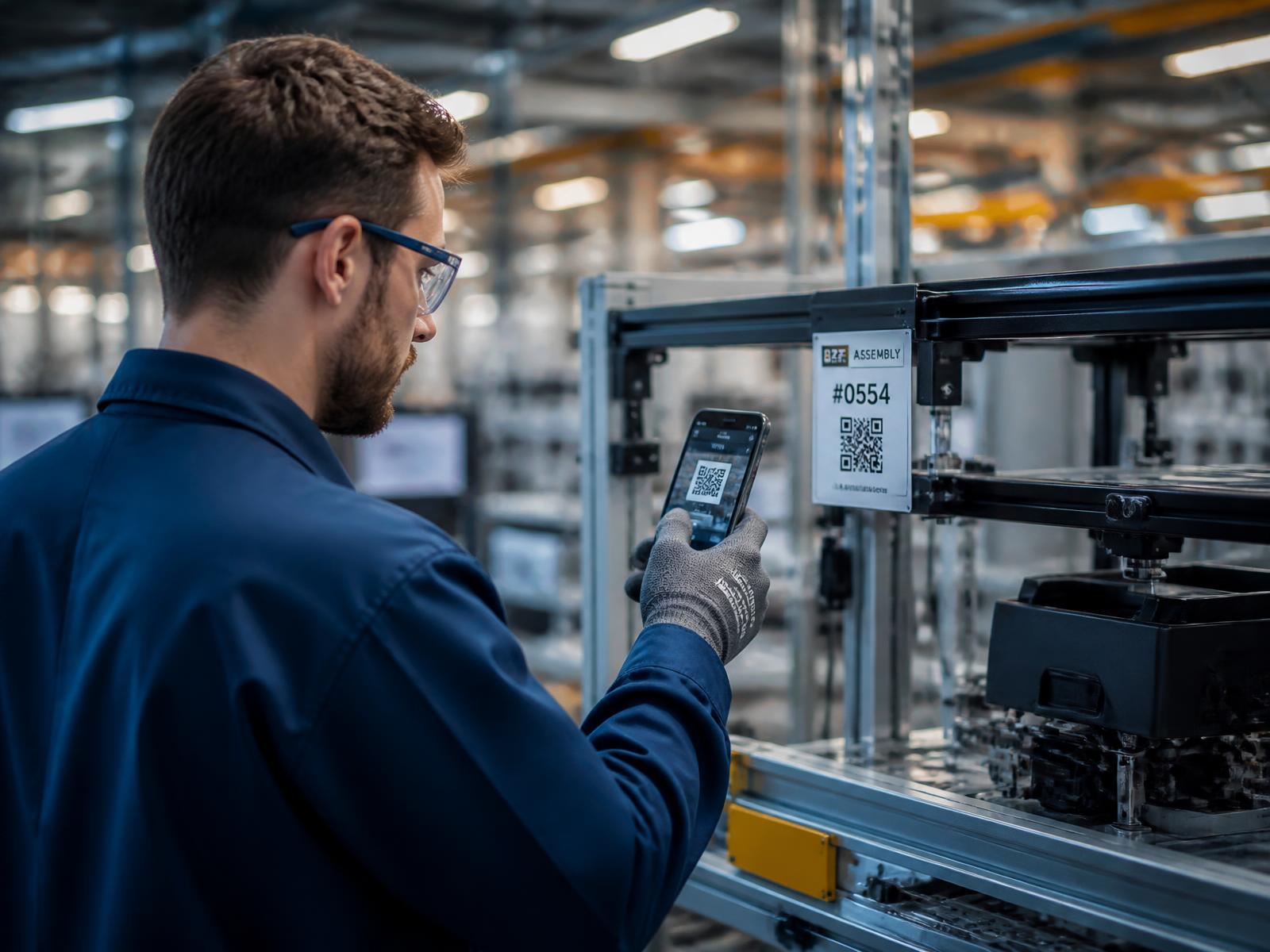
Scan the station QR code or pick the area, choose the category, add a short and a detailed description and a photo.
The system picks the default responsible for that area and category and sends a push notification instantly.
The responsible accepts the ticket — or re-categorises and forwards it. The reporter sees who owns it.
Status comments keep everyone informed. Need a specialist? Forward. Not fixable today? Send it to the long-term pool.
The originator confirms the fix or refuses it with a comment. Only a confirmed issue becomes Closed — and it can be reopened.
Built for every level
Coverage
We configure the plant structure with you. Each category in each area has a first-level responsible, so routing is right from day one — and you can change it any time.
Comparison
| Paper sheets & verbal | WhatsApp / email | FactoryTicketing | |
|---|---|---|---|
| Reporting an issue | Find someone and tell them | Free-text chat message | QR scan, category, photo |
| Who owns it | Whoever remembers | Unclear | Auto-assigned responsible |
| Reporter sees progress | |||
| Escalation when nothing happens | |||
| Recurring issues visible | |||
| Workload per responder | |||
| Closing needs reporter confirmation | |||
| Cost per operator | — | — | Free |
Measurable
Every ticket carries timestamps, owners and outcomes. That turns everyday firefighting into an improvement backlog you can prioritise — and export to your BI tool.
From report to accepted, per area, category and responder.
How long issues stay open before the reporter confirms the fix.
Which stations and categories generate the same problem again and again.
Open and closed tickets per person and department, so resourcing is a fact.
“I scan the code, take a photo and go back to work. Before, I had to walk the line to find the right person and hope they remembered.”
Assembly operator
Line 4, final assembly
“My morning starts with a list instead of five people telling me things at once. I can see what is urgent and what has been waiting.”
Maintenance team lead
Technical support
“For the first time I can show which stations generate the most stoppages, and how long we actually take to react.”
Plant manager
Operations
Illustrative pilot feedback, shown as an example of each role's experience.
Trust
Ticket data, photos and user identities stay on European infrastructure.
Data processing agreement, retention rules and deletion on request.
Sign in with your corporate identity provider; email identity for everyone else.
Operator, support, manager and super user see exactly what they need.
Monitored availability with status reporting for plant-critical use.
Full ticket export and a BI connection so nothing is locked in.
Pricing
Operators are the majority of your headcount and charging for them kills adoption. So every plan includes unlimited reporting accounts and is priced per site by the number of responder seats.
One line or a pilot area
€99/ month per site
Start a pilotA full plant
€799/ month per site
Book a demoGroups with several plants
Custommulti-site agreement
Talk to usExtra responder seats
€8 per seat / month
Onboarding & plant setup
One-off fee, areas and categories configured with you
Annual billing
Two months free
First 30 days free on one area, so you can prove it before you roll it out. Prices are indicative list prices, excluding VAT.
We will map your areas, categories and responsibles, print the QR labels and run a pilot with your operators, support team and managers. If it does not reduce lost issues, you walk away.